PEAKVO2 Features: What the Interval Training App Does

 Run these workouts on your iPhone, or hands-free on Apple Watch. Get PEAKVO2
 Everything PEAKVO2 does, in one place: eight guided VO2 max protocols, full-screen color-coded phases with your live heart rate, hands-free training on Apple Watch, lock-screen Live Activities, Apple Health sync, a yearly activity heatmap with your VO2 max trend, and built-in calculators. It is a training app, not a testing service.
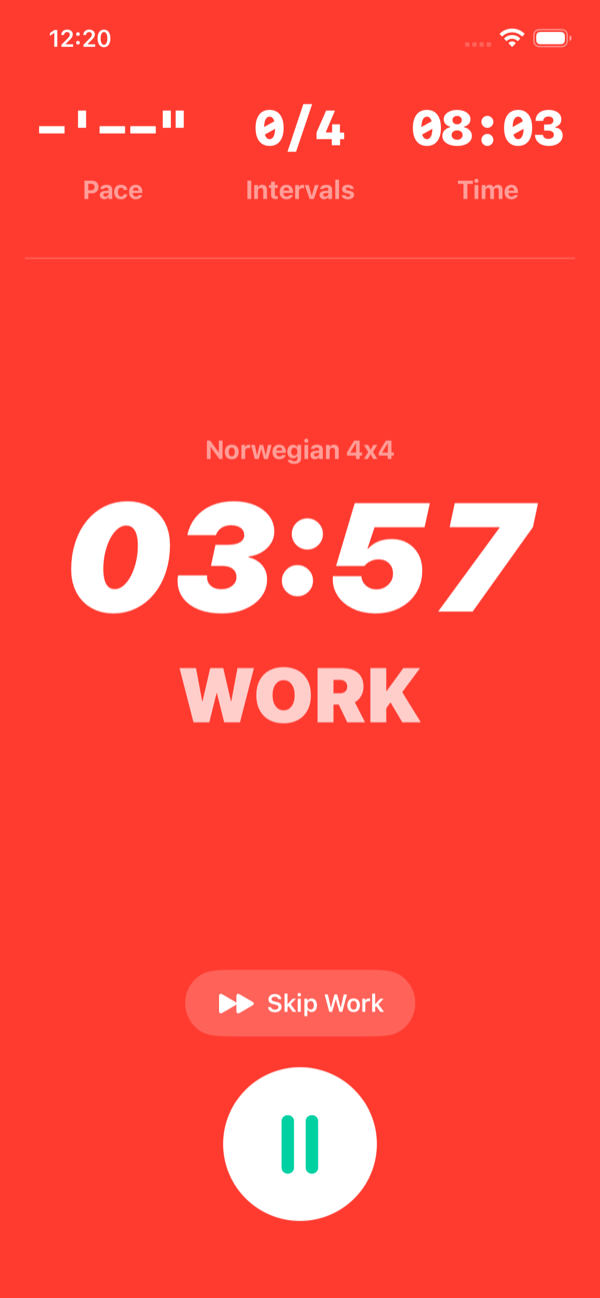
Full-Screen Color-Coded Phases, With Live Heart Rate
Every phase of a workout fills the screen in its own color, so a glance tells you whether you are in warm-up, work, or recovery without reading anything. The app moves between phases automatically and taps your wrist at each switch, and your live heart rate is shown on screen so you can tell whether you are hitting the target zone for the interval.
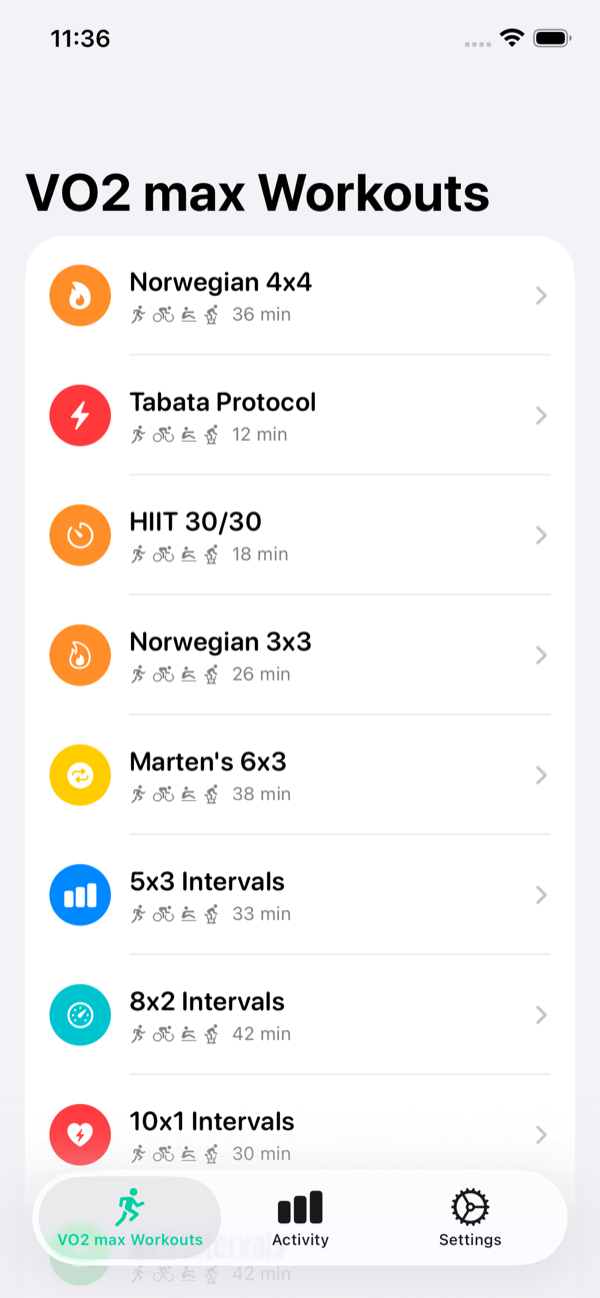
Eight Guided Protocols in One App
PEAKVO2 tracks eight validated interval protocols: the Norwegian 4x4, Tabata, HIIT 30/30, Billat 30/30, Ronnestad 30/15, VO2 Max 3x3, VO2 Max 5x3, and Tempo Run. Each runs itself with warm-up, work, recovery, and cool-down phases built in, so you pick one and start rather than programming intervals by hand.
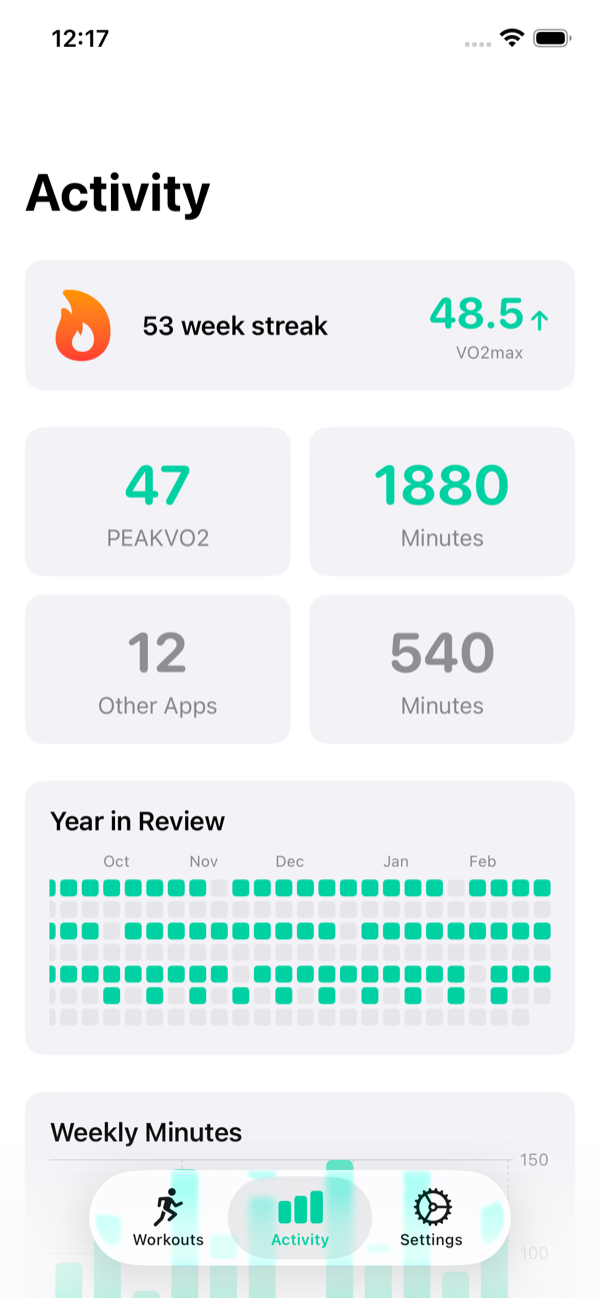
A Yearly Activity Heatmap and Your VO2 Max Trend
The Activity tab is where progress shows up: a year-in-review heatmap of how often you trained, your VO2 max trend over time, your streak, and your totals. It answers the two questions that matter, are you consistent, and is the number moving.
Apple Watch, Live Activities, and Apple Health
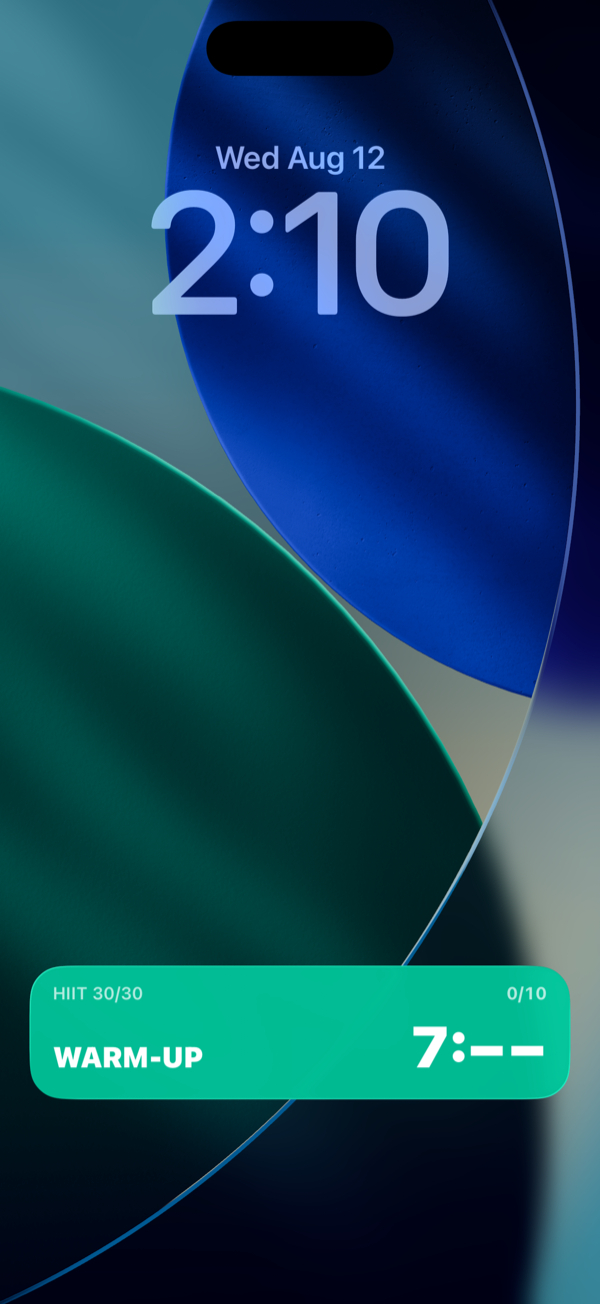
Workouts run natively on Apple Watch with no phone needed, and a Live Activity puts your current phase and countdown on the iPhone lock screen and Dynamic Island. PEAKVO2 works with Apple Health, so your sessions are saved as Health workouts with heart rate and activity, and because Health aggregates everything, the training you log in other apps and on your watch sits alongside your PEAKVO2 sessions. For more on the wrist experience, see the Apple Watch interval training app page.
Built-In Calculators
The app includes built-in calculators, including a heart rate ratio estimate of VO2 max and your heart rate training zones. On the website, you can also use the free VO2 max calculator, max heart rate calculator, and zone 2 heart rate calculator.
Get PEAKVO2
Eight guided VO2 max protocols with color-coded phases, live heart rate, Apple Watch and Live Activities, Apple Health sync, and your VO2 max tracked over time. Three workouts free.
Get PEAKVO2 free